Computer Management
Computer management that mirrors your org.
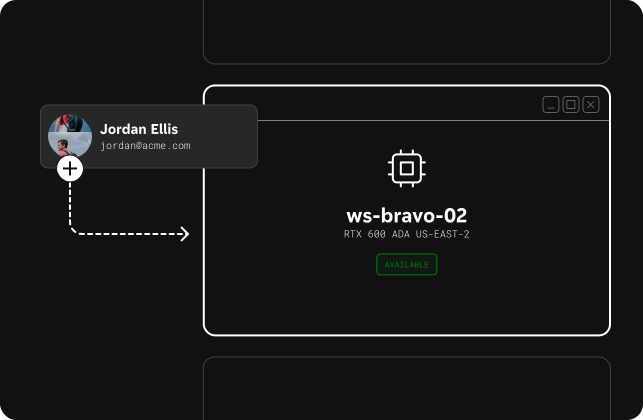
Assign and manage workstations across the organization from a single view. Connect to any machine instantly with the right permissions in place.
Share a few details and we'll find a time to meet.
Performance your team will notice. Controls IT can rely on.
Share a few details and we'll find a time to meet.
Phaze gives IT teams deep visibility and control over remote workstations — computer management, team management, and on‑prem relays in one place.
Computer Management
Assign and manage workstations across the organization from a single view. Connect to any machine instantly with the right permissions in place.
Team Management
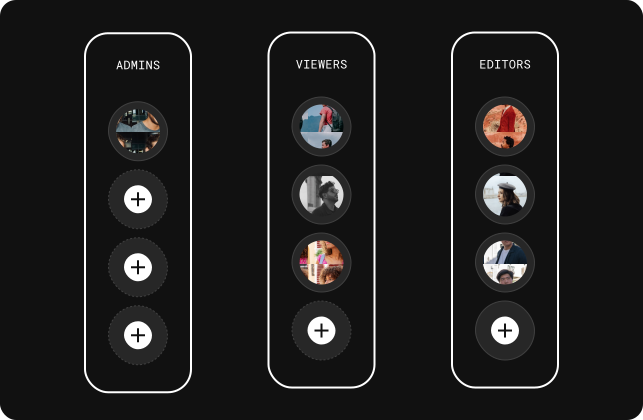
Create teams, define roles, and map them to shared pools of machines so the right people always have access to the right workstations. Works great with Directory Sync via SCIM.
On‑prem Relay
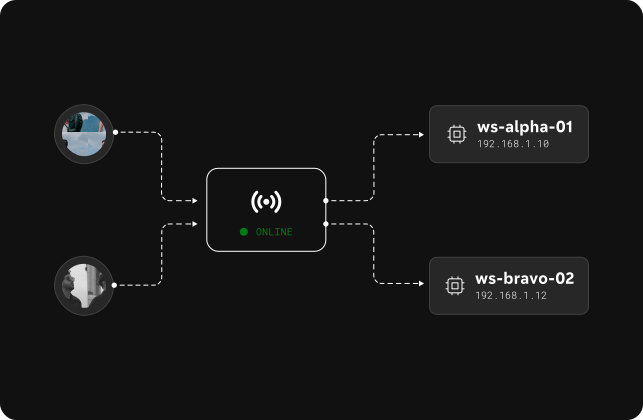
Deploy relays to keep traffic on your own network, enforce connection policies, and monitor remote workstation sessions through a single, central node.
Built on 10+ years of remote desktop experience, Phaze is designed by people who know what enterprise teams need.


How Phaze compares
Other solutions force IT to choose between remote desktop performance and enterprise controls. Phaze is designed to deliver both.
| Phaze advantage for IT | Others | |
|---|---|---|
| Primary Use Case | Access remote workstations for 3D and CAD work for M&E, Manufacturing, Industrial Design, and AEC. | Made for help desks and remote monitoring and management, not made for productivity and every day use. |
| Pricing model | Consumption pricing (with a cap) that aligns cost with the value your team gets from remote access. | Per seat or device subscriptions that require juggling licenses. |
| Tuned for 3D and CAD work | Supports three 4K monitors, full USB passthrough, low latency input, 120+ FPS. | Limited USB passthrough, low frame rates, and choppy rotations. |
| Admin & RBAC | Cloud control plane to manage your organization, people, devices, relays, roles, and security. | Tend to require a third-party integration for brokering and network relays. |
| Identity & Directory | Authentication how you want it — SSO via SAML and directory sync via SCIM. Invite everyone, only pay for people who use it. | Higher priced tiers provide more authentication options, and every user requires a license. |